Site layout
You can customize your site layout in Customize > Layout & colors > Site layout & background.
Container width (px): Enter a number between 940 – 1280. Default is 1080. Note that percentage value is accepted but not good in practice. The maxium width is always 97% so you can enter any value like 1440px without worrying It’s overflow the screen.
Sidebar width (px): Enter a number, default is 265.
Sticky sidebar? Enable this if you want the sidebar to move along main content when your site readers scroll.
Wide and boxed layout
The default layout is wide layout. Here’s a sample boxed layout.
To enable boxed layout, Customize > Layout & colors > Site layout & background > Boxed layout then check the box.
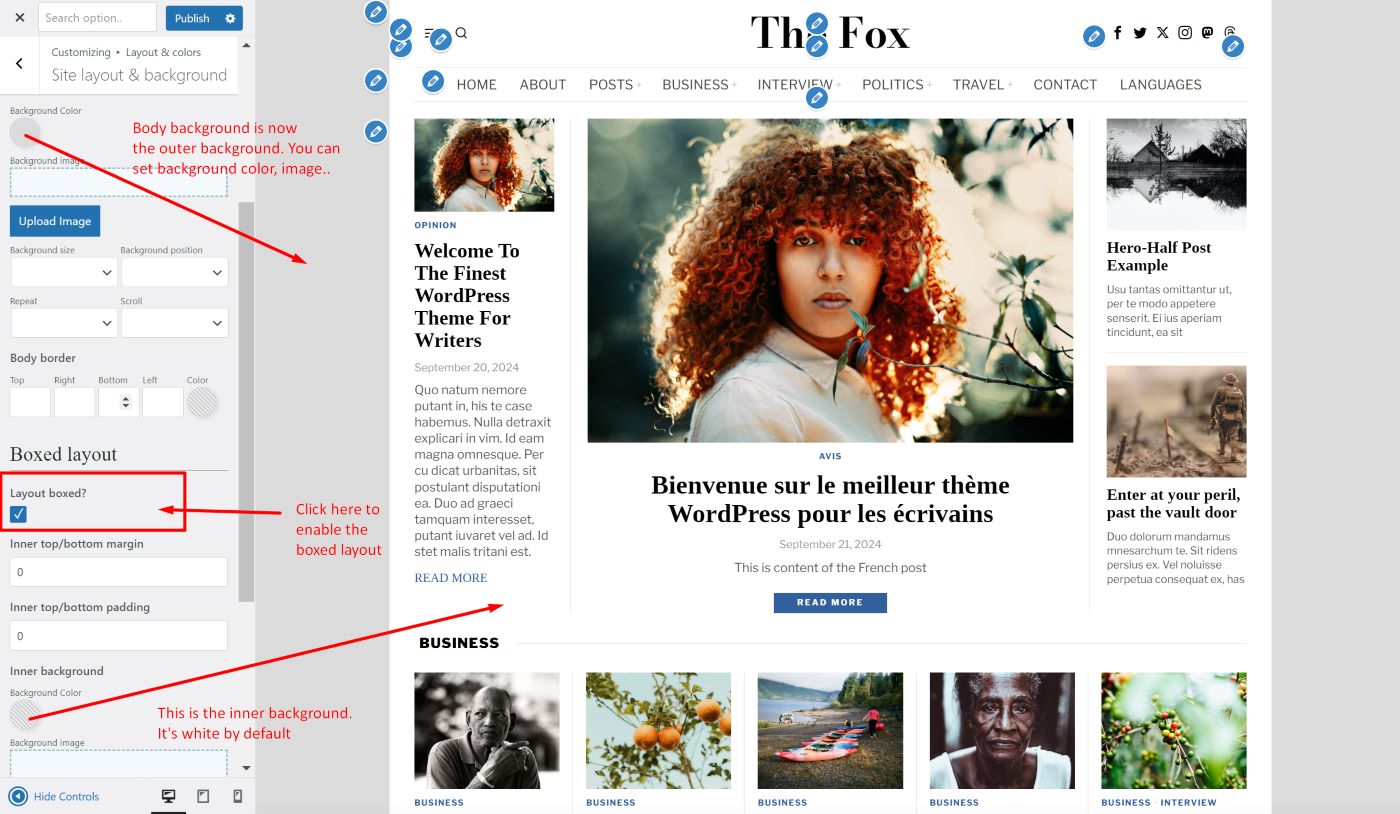
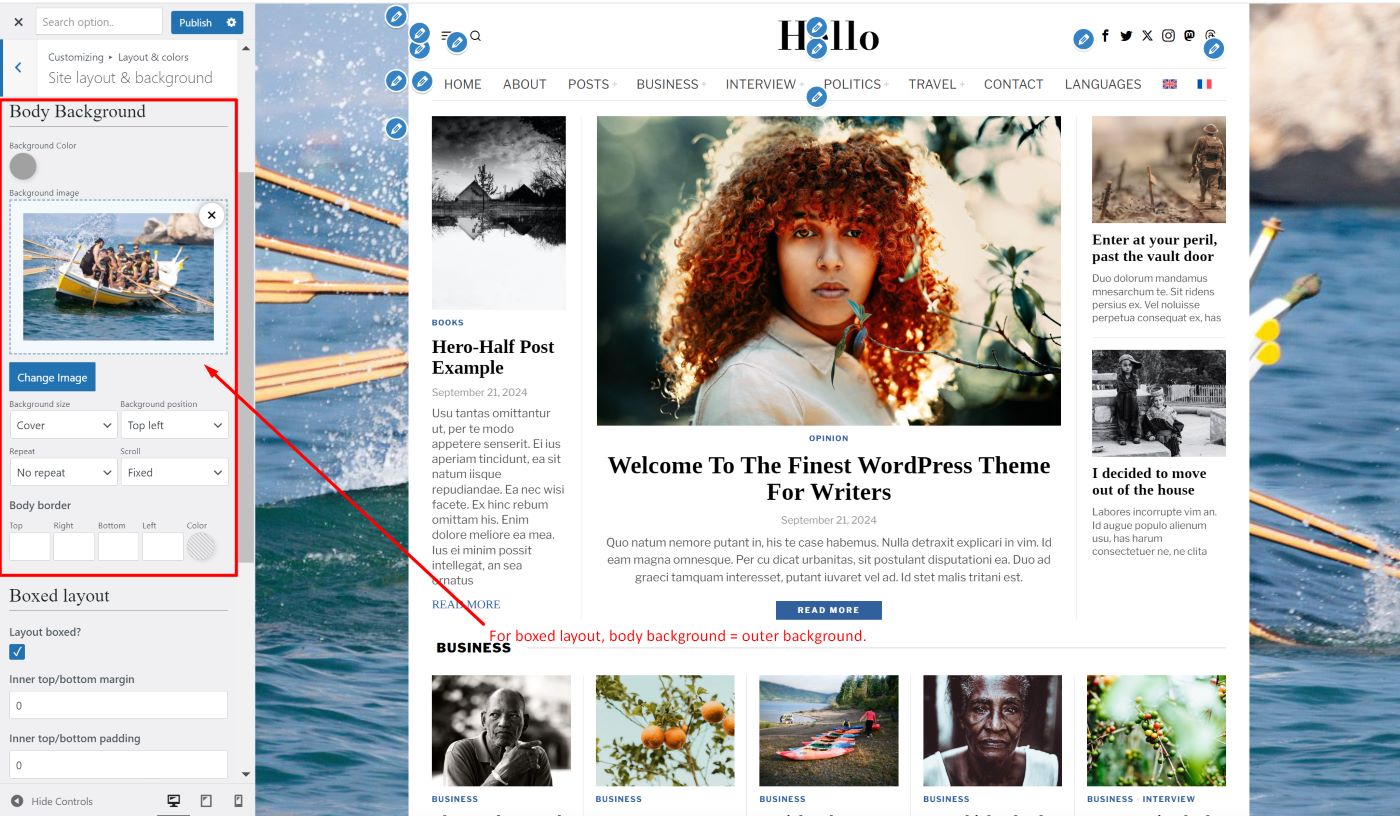
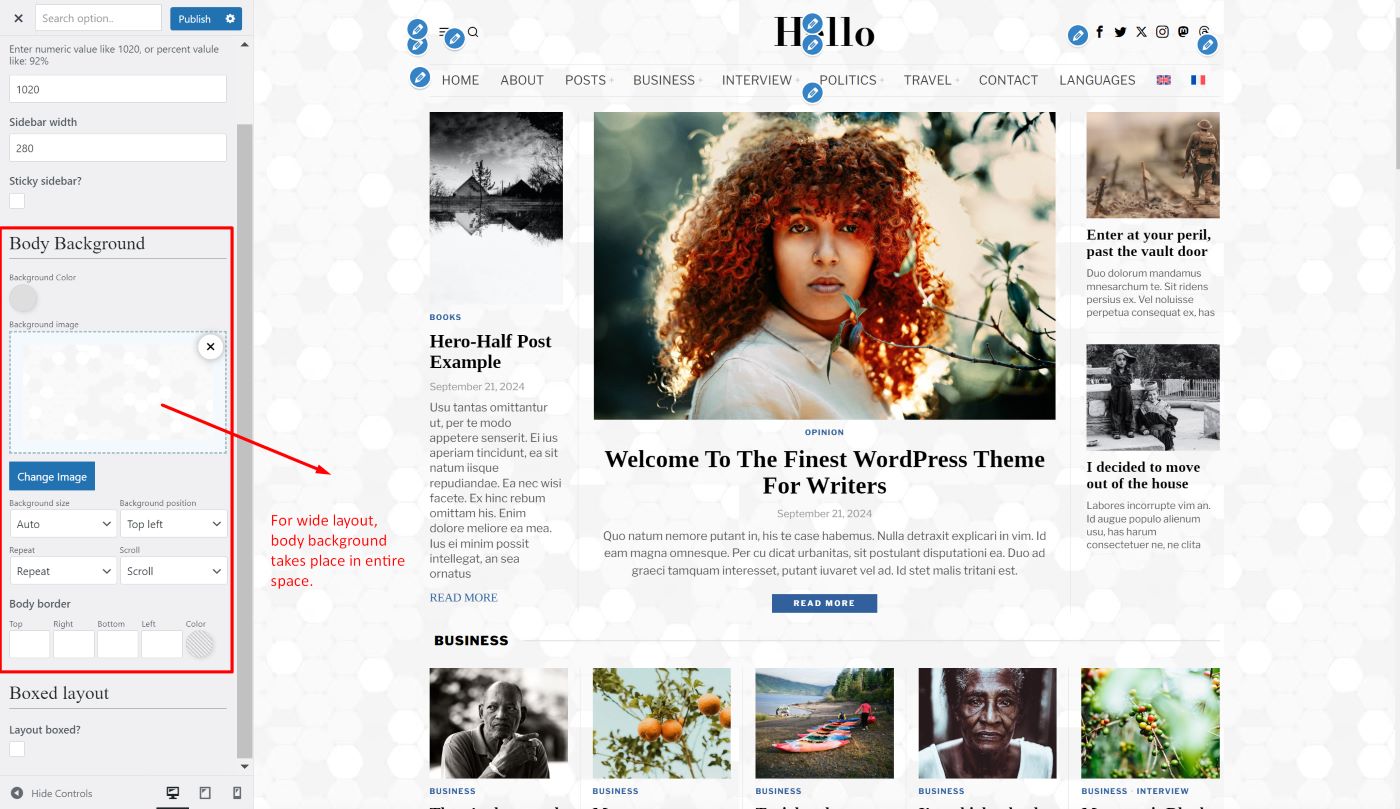
Site background
Sidebar and fullwidth
The Fox has 3 configurations:
- Left sidebar
- Right sidebar
- Fullwidth
By default, Fox is right-sidebared. You can set sidebar position to the left, right or disable it (make it fullwidth).
Read more at Sidebar & widgets.