YouTube Video
Here’s the guide for using YouTube videos with The Fox theme.
YouTube video has 3 kinds of ratios:
- Modern standard: 16/9
- Classic ratio: 4/3
- Short video: 9/16
The Fox supports all of those ratios with default one is 16/9. There are 2 places you can insert video with The Fox theme.
- Post format video: Video will appear at the place of featured image of the post. View example >>
- In post content or in widget. This is the common WordPress feature. The Fox supports both Gutenberg and Classic editor.
Post format video
- Step 1
-
Edit your post, scroll down to bottom to find
Post settings
.
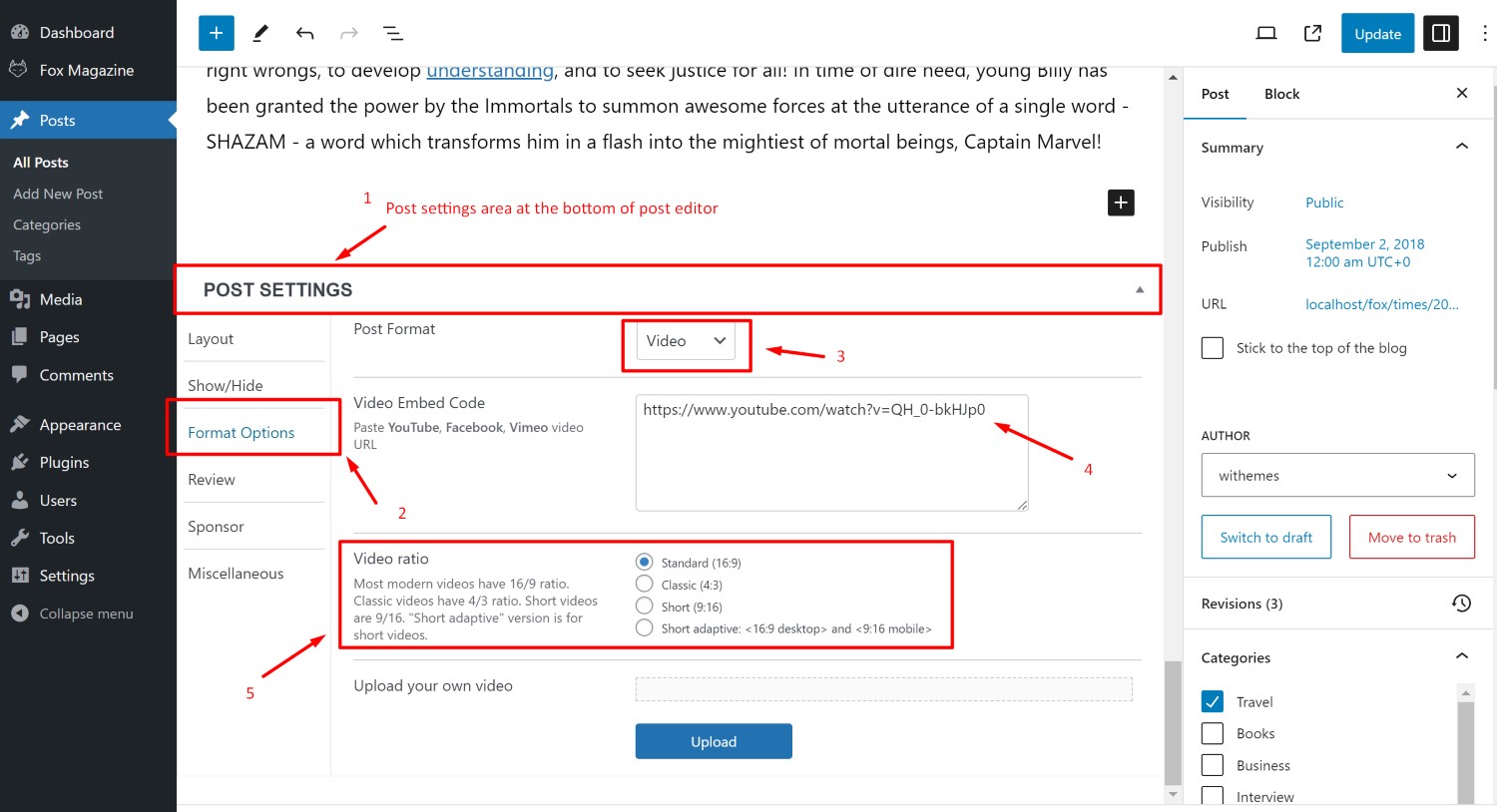
- Step 2
-
Click
Format options
tab > choose post format
Video
enter youtube video URL for
Video embed code
.
- Step 3
-
Choose video ratio. Here’s 4 types of ratio explained.
- Example post with 16/9 ratio
- Example post with 4/3 ratio
- Example Youtube short with 9/16. You feel it’s quite big, right? That’s why we have the 4th option, which is better for the Short videos.
- Example Youtube short with 16/9 on desktop and 9/16 on mobile. On desktop, you’ll see it as a normal video. On mobile, It’s fullscreen as short video. Scan QR below to test it on mobile.

Youtube videos in post content
Here’s example of videos in post content
Gutenberg editor
- Step 1
-
Add Youtube element. Enter your Video url.
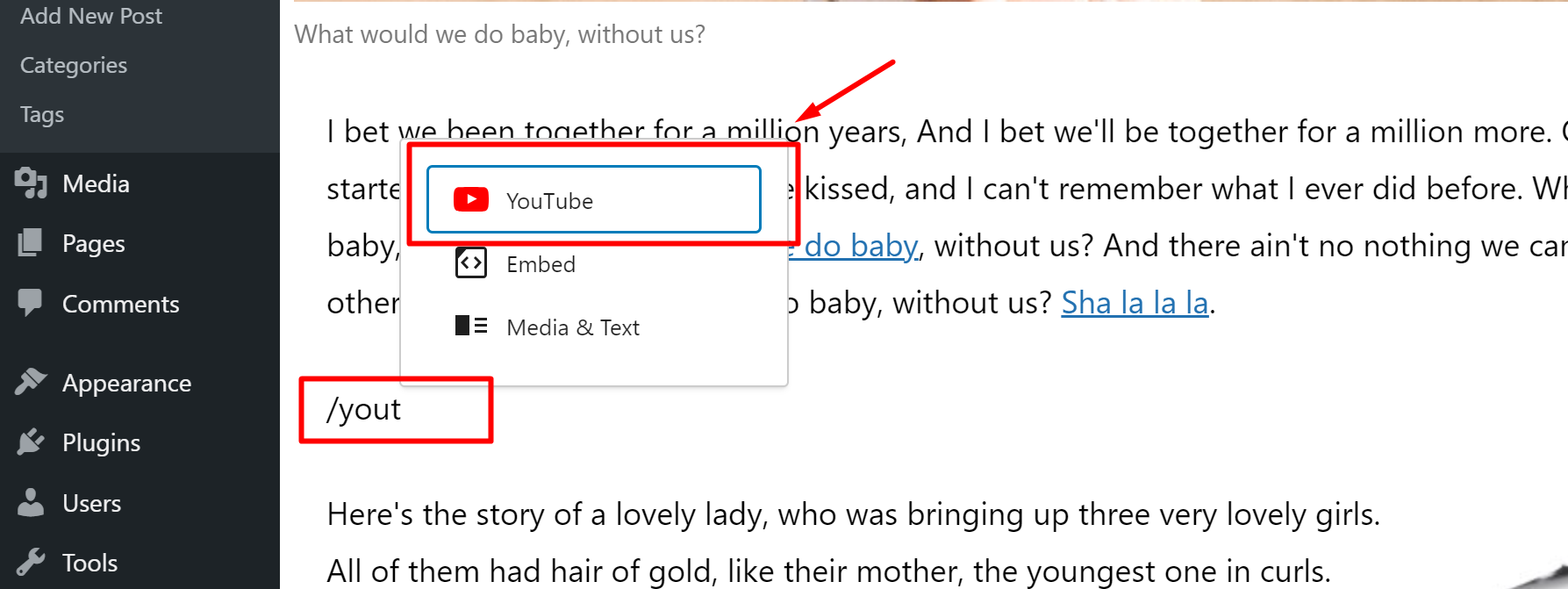
By default, It’ll display video with ratio 16/9. In case you want to change the ratio of your video (see 4 examples above in the part Post format video), here’s the next step:
- Step 2
-
Edit
Youtube video block
Advanced tab
edit its
CSS class
.
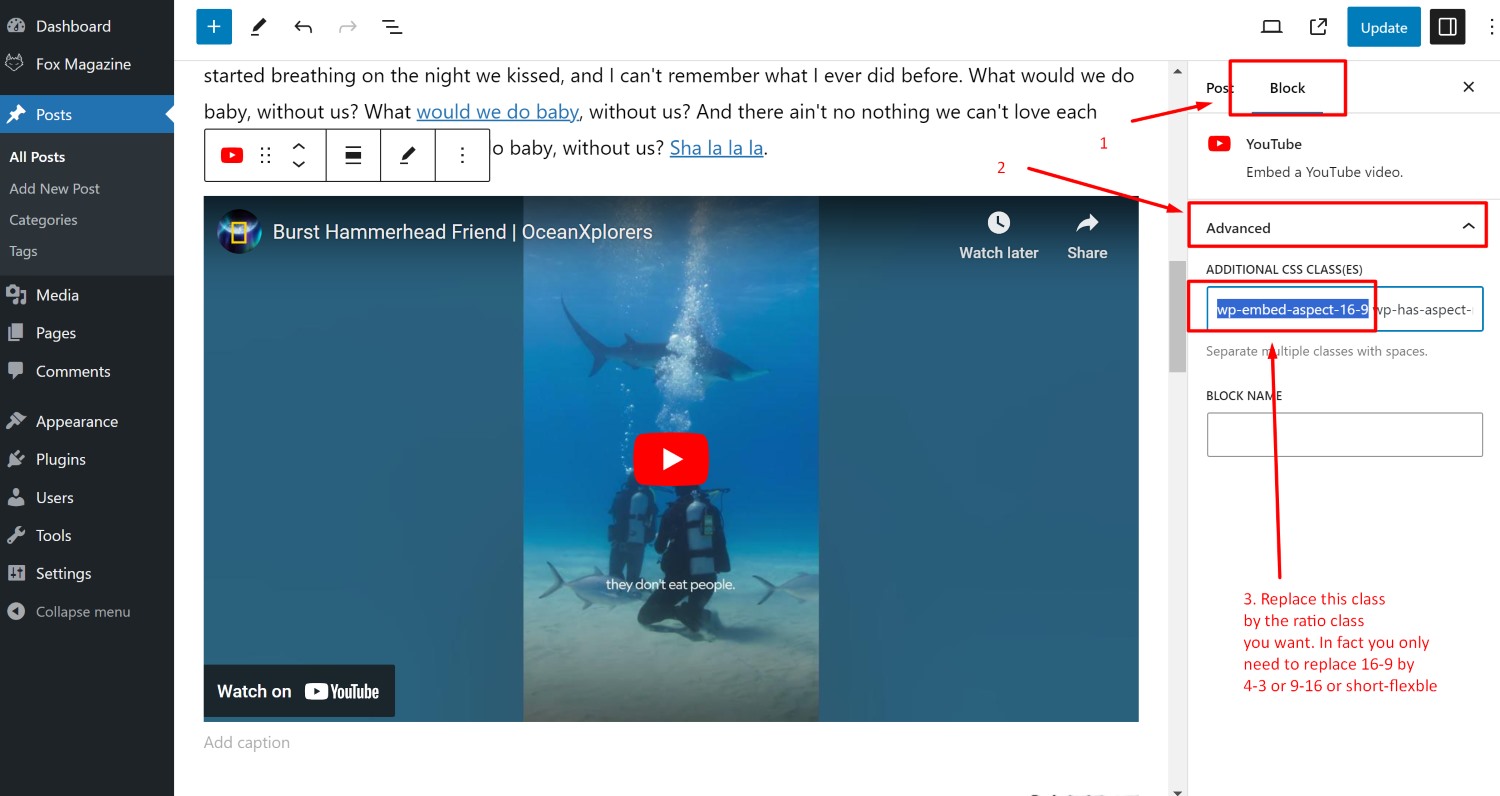
Here’s the CSS class list:
wp-embed-aspect-16-9
wp-embed-aspect-4-3
wp-embed-aspect-9-16
wp-embed-aspect-short-flexible
Those names explain themselves. For now, we have no better options.
Classic editor
If you use Classic editor, when you insert the video, It has ratio 16/9 by default. But if you want to change to different ratio, you must wrap it by a