Generate WP Query json
Fox often use json string of a WP Query. It reads json string and decode it to PHP array so that WP_Query can read it. You shouldn’t write PHP code directly from frontend, that’s why we use json for a safe format to communicate.
There are 2 methods to get json code of WP Query params array.
- Method 1 (easy way, for everyone)
-
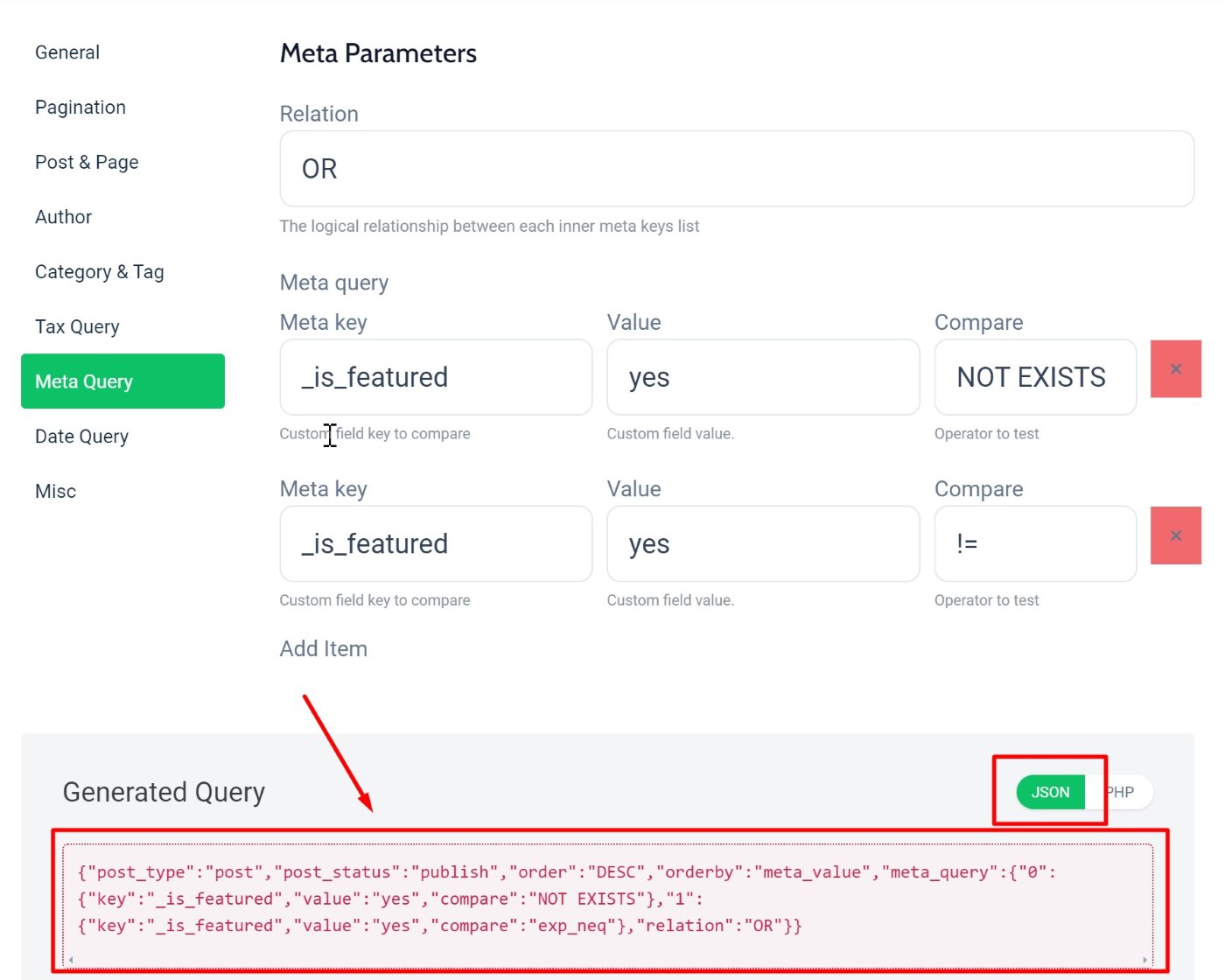
Use something like WP Query Generator. There are few online tools like that, for instance:
WP Query Generator from Crocoblock
. You can play around with it. We don’t have specific guide for using this tool, It all depends on how you understand
WP_Query codex
.
Method 2 (for Wordpress coders)
:
- Step 2.1
-
Write your PHP query somewhere. Something like this:
[
    'posts_per_page' => 3,
    'orderby' => 'name',
    'order' => 'ASC',
    'tax_query' => [
        [ 'taxonomy' => 'category', 'field' => 'slug', 'terms' => 'interview', ],
    ]
]
You’re free to use any query array allowed by
WP_Query class
because that’s exactly what The Fox does. The theme simply takes your custom query code and use it, no further process.
- Step 2.2
-
You can either use
json_encode
to output your PHP array and get a json encoded string, or use an
online PHP json_encode tool
(please Google search for similar tools, there’s a lot) to get json code. The input we need to enter is json_encode version of your PHP code. For instance, json version of above code is:
{"posts_per_page":3,"orderby":"name","order":"ASC","tax_query":[{"taxonomy":"category","field":"slug","terms":"interview"}]}