Builder post custom query
This custom query option is used for complex queries. For simple queries, please just use theme built-in query options. First off, you need to understand its behaviour. The custom query option will OVERRIDE completely your query options, It’s like you write a query from scratch. The Fox simply takes your query code and deliver it to WP_Query class to process. So that you’ll be required to understand how WP_Query works.
If you only want to adjust/add some parameters, please consider using
Additional query
instead. It will not rewrite the query, only append the new array.
- Note
-
We strongly discourage non-programmers to do this and we will not provide full support for custom query questions (i.e. It depends on the question because there’s no specific scope for this). Please make sure you understand how WP_Query works to use this functionality.
- Note 2
-
This option only works since The Fox 6.7 so if your theme version is older than v6.7, It will not work.
- Step 1
-
Go to Query tab of your post element in the builder, scroll to Custom query option.
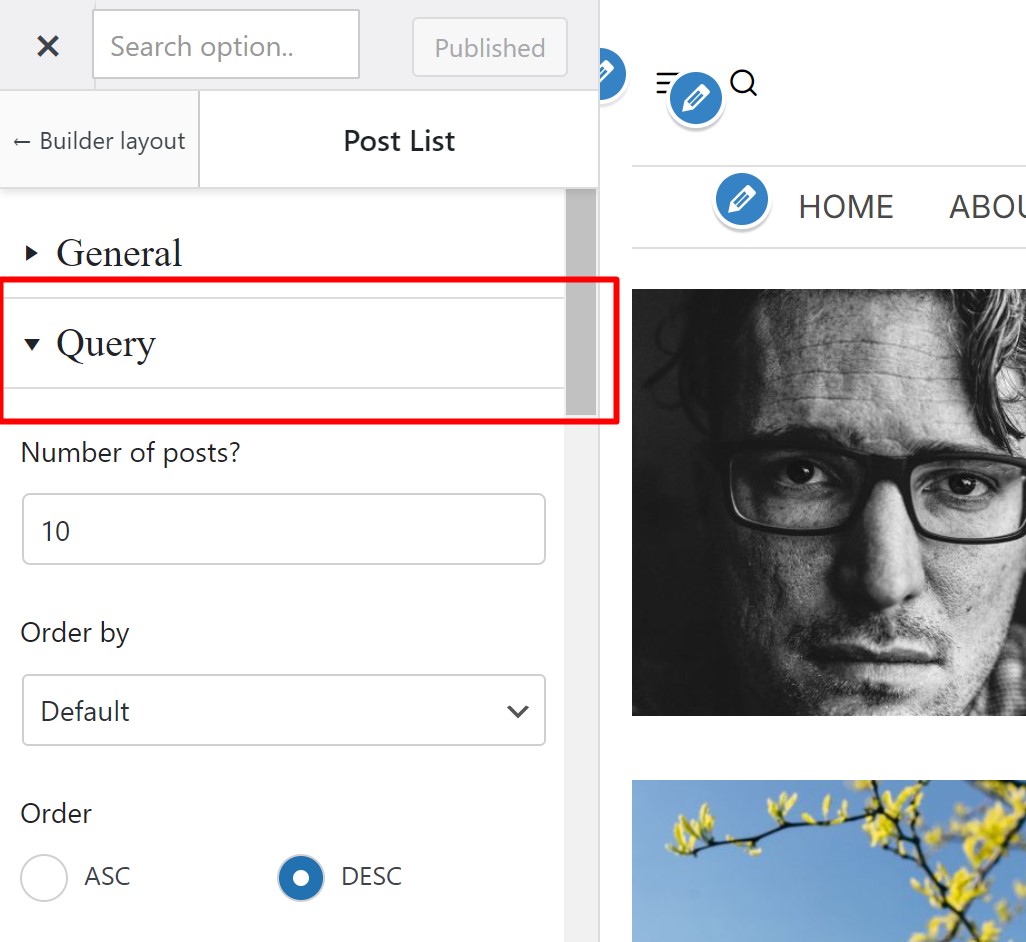
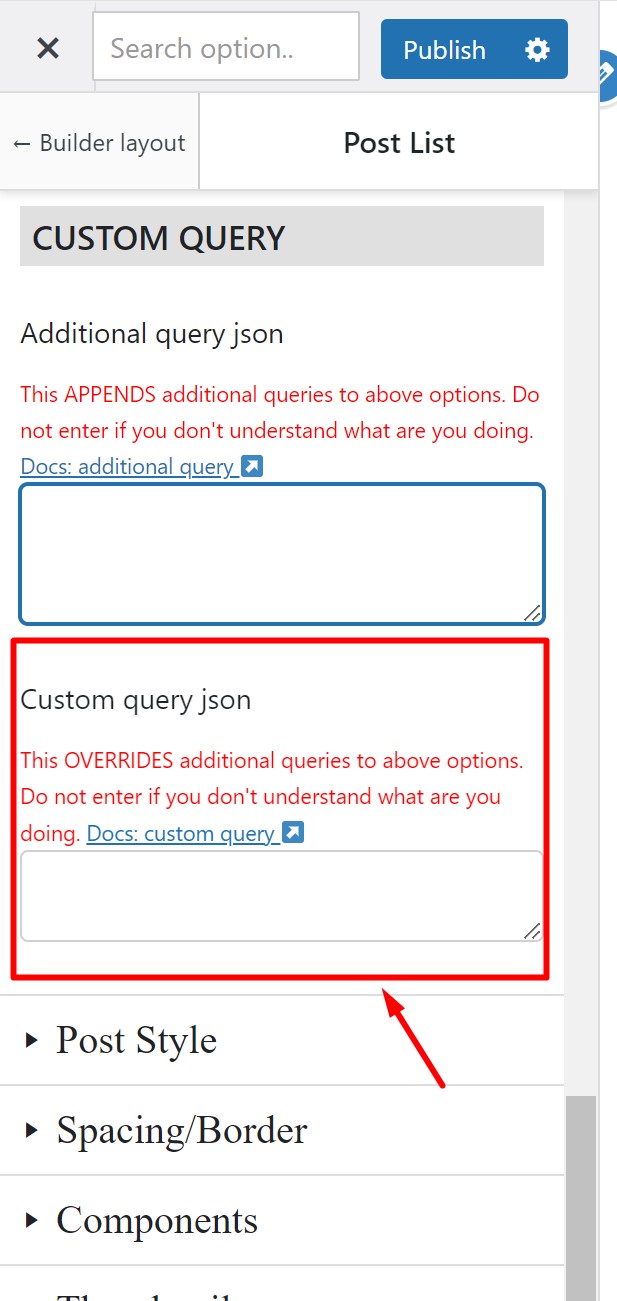
- Step 2
-
Get json code of your custom query. If you’re not sure how to get the json code of custom query, please read
this article
.
- Step 3
-
Enter your json code into the custom query field. Then The Fox theme will decode it to get PHP query array.
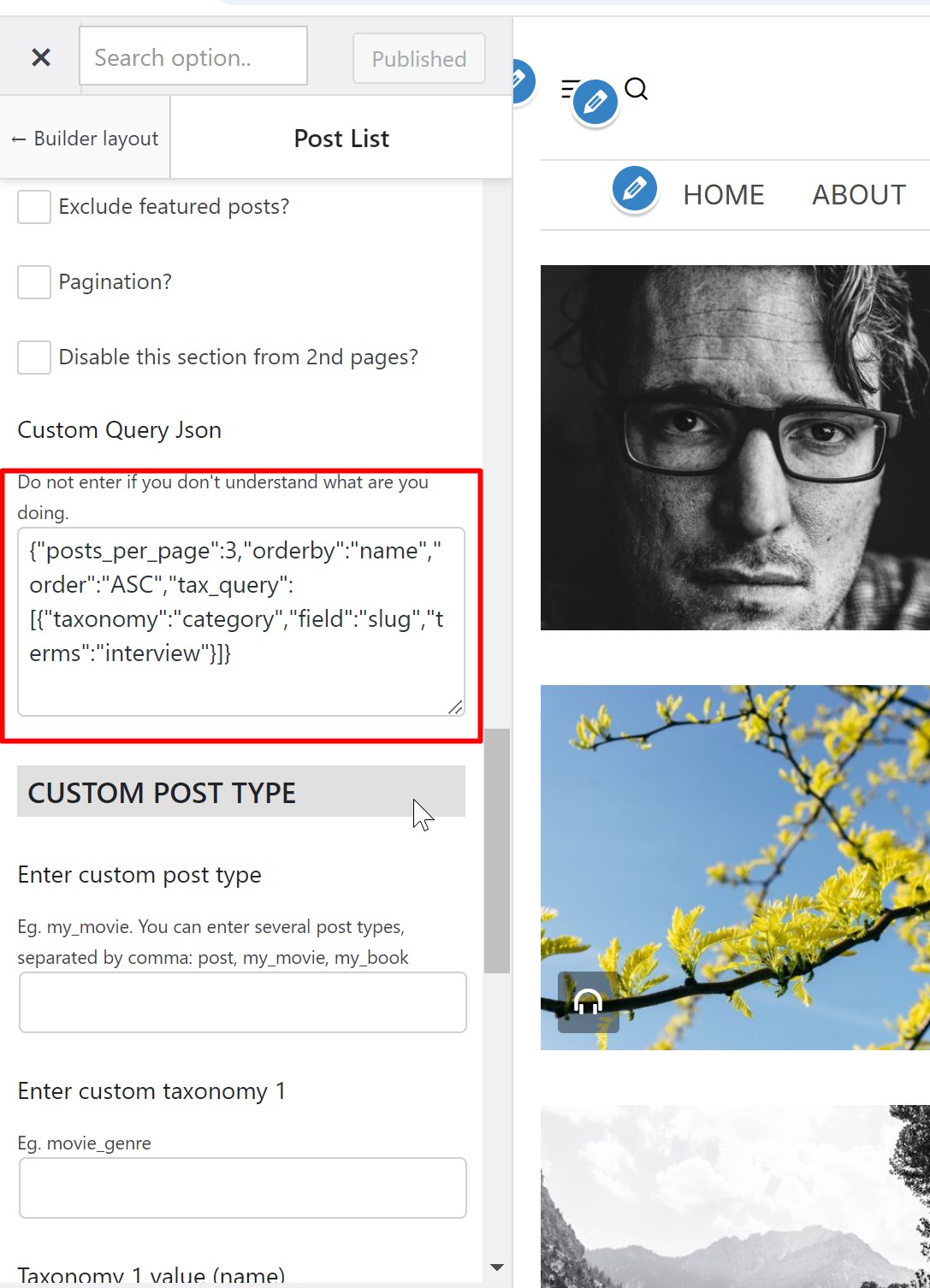
Now you’ll see your widget displays 3 posts from category Interview, ordered by post_name in ascending order.