Export / Import your settings
The Fox uses native WordPress Customizer for settings. To back up/export theme settings so that you can restore/import later, you can use
this plugin
.
To export / back up settings
- Step 1
-
Install & activate
Customizer Export/Import plugin
.
- Step 2
-
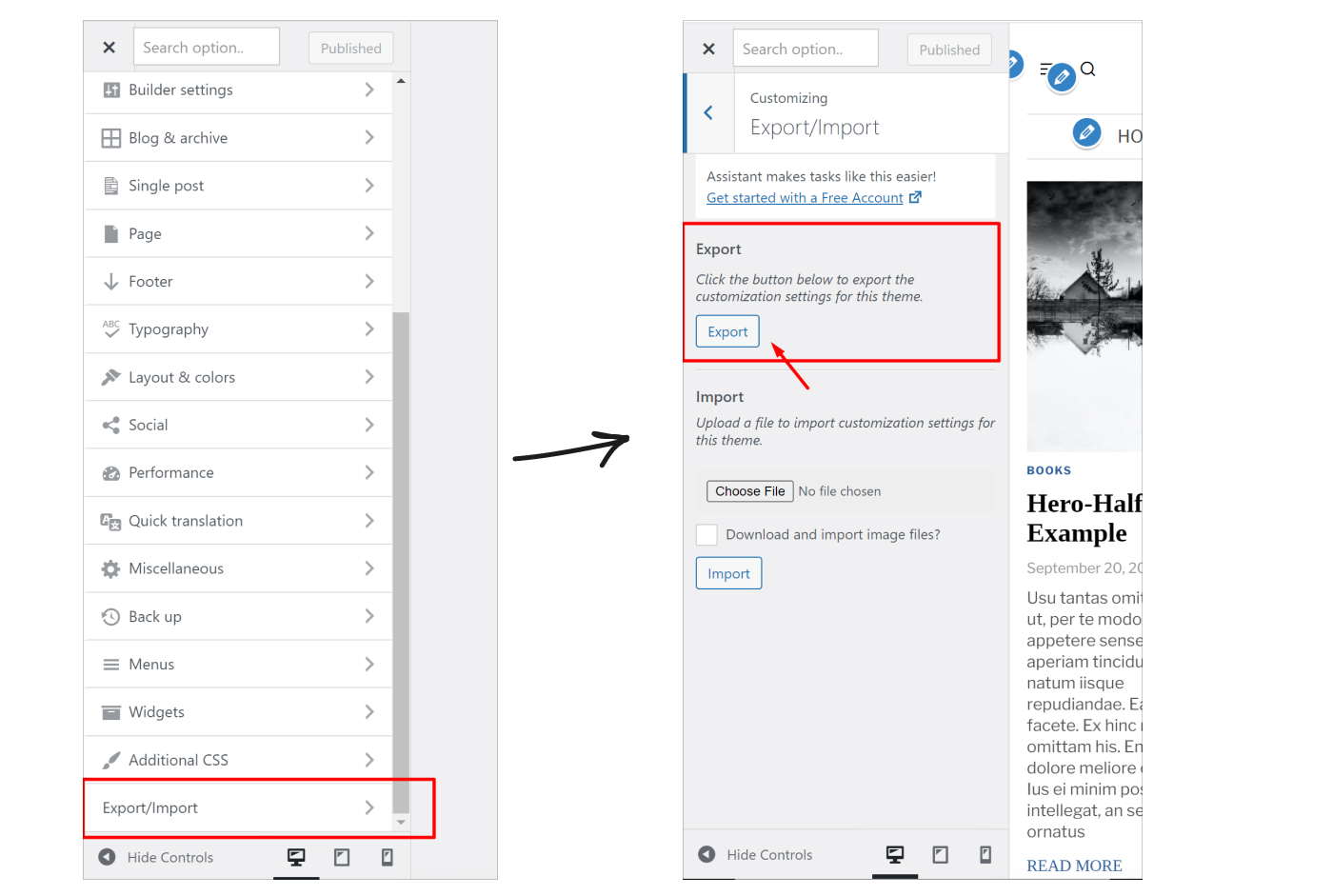
Go to
Customizer > Export/Import
click
Export
. You’ll get a *dat file. That’s your file containing your theme settings. You can store it somewhere (Google Drive, Dropbox..).
To import / recover settings
- Step 1
-
Install & activate
Customizer Export/Import plugin
.
- Step 2
-
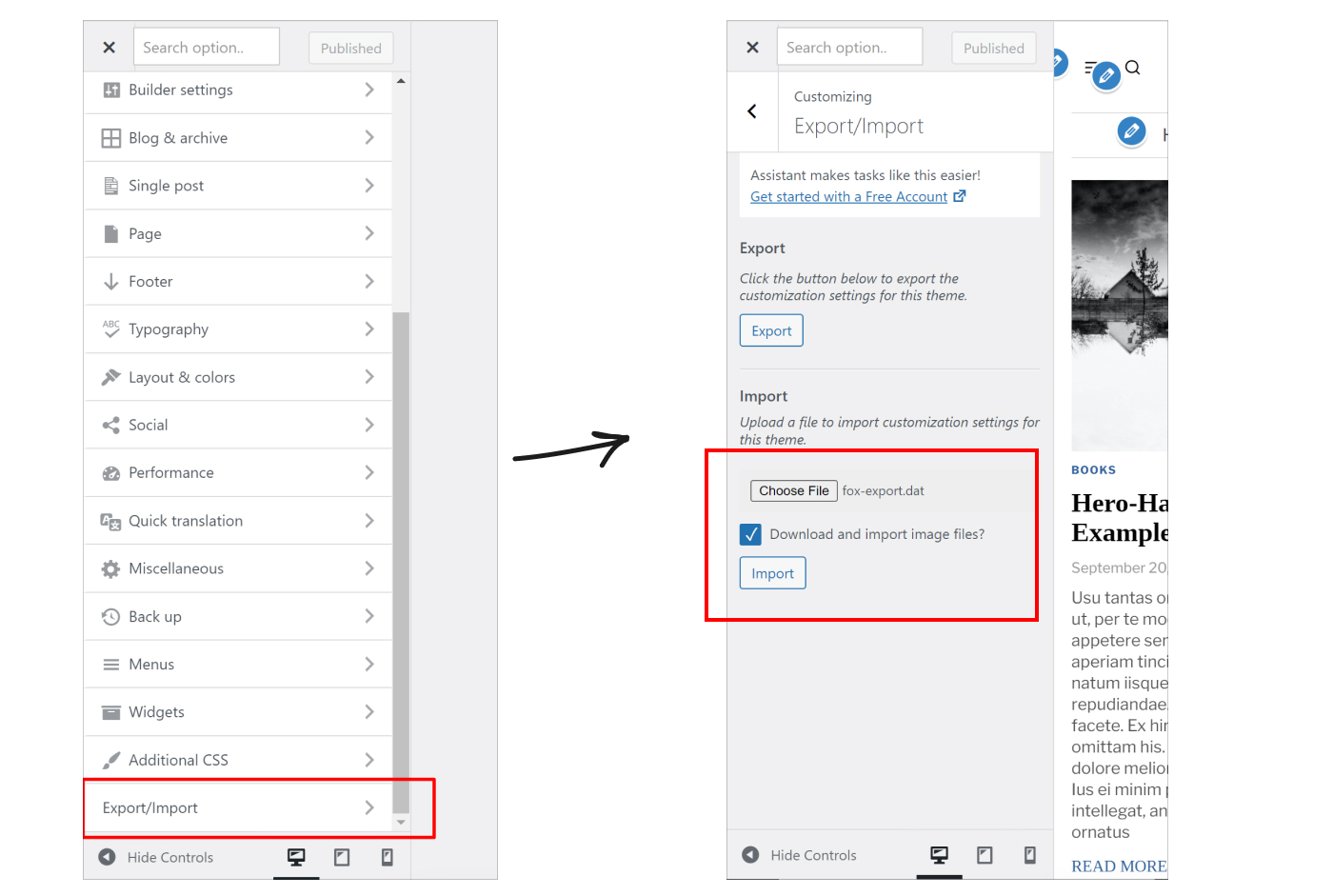
Go to
Customizer > Export/Import
upload your *dat file > click
Import
.